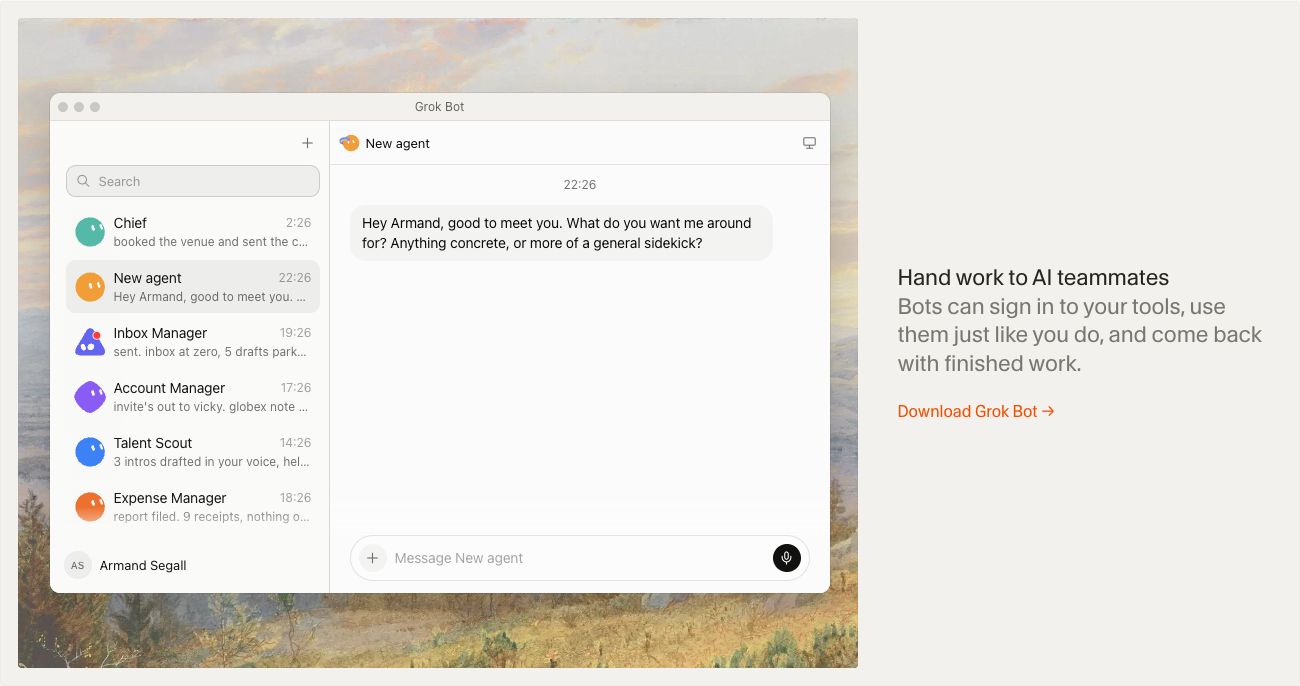
An AI teammate with a persistent cloud computer, connected tools and recurring routines. Useful for research and draft preparation when the task has a clear scope and review point.
What is Grok Bot?
Grok Bot is the agent product presented at x.ai/bot. Its defining feature is a cloud computer where a bot can work in apps and websites, rather than only returning an answer in chat. The vendor says this environment persists and can continue working after your own laptop closes.
For a directory publisher, the interesting unit of work is a finished research packet: candidate tools, source links, changes worth checking and draft descriptions. That is a more useful starting brief than asking a general assistant to manage the whole publication.
How the workflow fits together
The official getting-started guide describes named bots with instructions, chat-based tasks, routines and triggers. It also documents support for MCP servers, plugins and skills. Bot-to-bot handoffs allow a research role to pass context to a writing role, with the connected tools determining where the work can happen.
The marketing guide shows a vendor example in which specialists research competitors, prepare documents and coordinate website work. Treat that as an illustration of the operating model, not a guarantee that an identical setup will work across every account or application.
A practical first evaluation
Start with a public-web research task and a draft-only output. Judge whether the bot returns useful evidence, identifies uncertainty and avoids repeating old announcements. Only add another connected service when it solves a specific missing step in that workflow.
Access depends on eligible subscription plans, and the vendor distinguishes included usage from additional consumption. Check those terms before scheduling frequent runs. This is a researched overview of the documented product, not a hands-on reliability test or a claim that the integrations described here are already configured.
What stands out
- A persistent cloud computer for working in websites and apps
- Routines and event-driven work
- Specialist bots that can hand tasks to one another
- Connections through supported plugins, skills and MCP servers
Before you choose
- Bots belonging to one user share their computer, files and browser logins.
- A written bot role is not an independent security boundary.
- Connected services need suitable permissions and a clear approval policy.
Go to the source
Sources & further reading
Based on the official documentation below. Features and access can change; check the provider before making a decision.